 Cam
CamYour mini camera.
Your network.
CamSave watches and records the little cube Wi-Fi cameras, the ones with a BK… hotspot that came with the iWFCam app. Live view, photos, recording and sound, straight from the camera to your phone or PC. No cloud, no account, nothing leaves your home.
Everything you bought the camera for. Minus the cloud.
Watch live
A smooth live picture from the camera, with sound. Flip or mirror it, and set brightness and contrast.
Record and snap
Record clips and take photos to your phone or PC. Your files, in your folders, in normal formats.
Pair from the sticker
Scan the QR code on the camera's sticker. CamSave finds the BK hotspot and connects, with the default password filled in.
Camera wall PRO
Watch and record all your cameras at once. The PC hub keeps every camera connected, something a phone alone can't do.
Motion and 24/7 PRO
Record only when something moves, or around the clock in rolling files. Old recordings can delete themselves after the days you choose.
Clear picture PRO
These cameras are soft and noisy. Clear picture removes noise, adds contrast and sharpens. Auto-brightness keeps the image right as the light changes.

Made for the little BK cube cameras
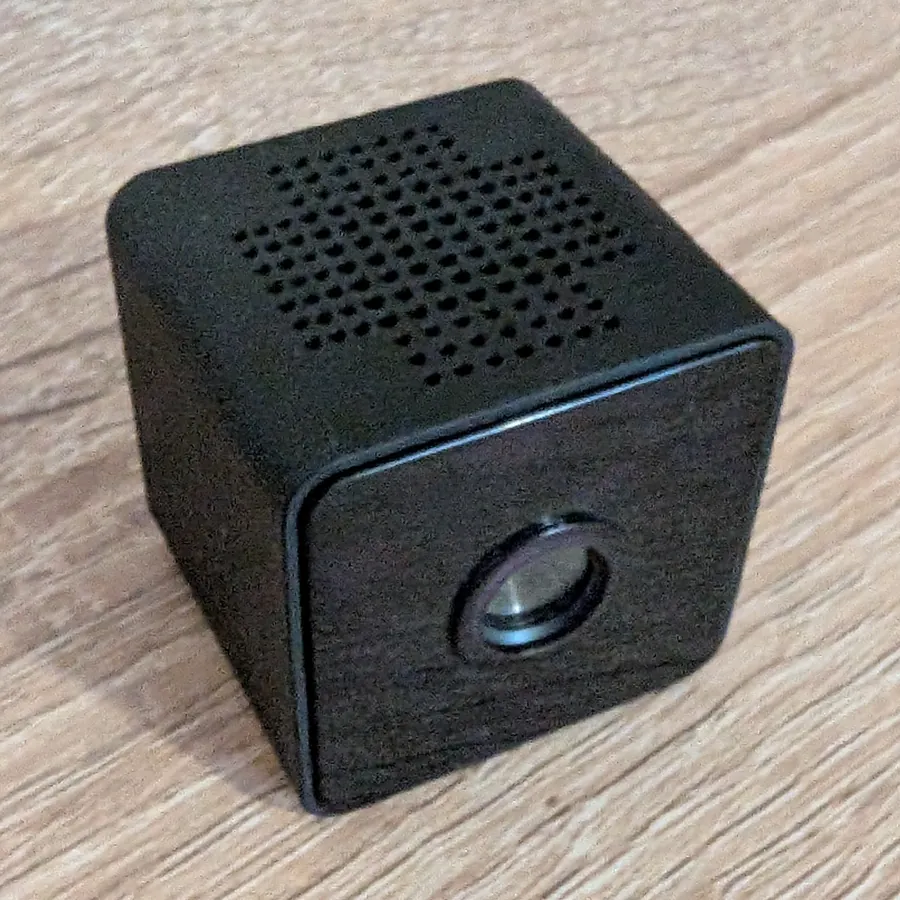
If your camera is a small black cube of about 3 cm, makes a Wi-Fi hotspot named BK followed by numbers, and its box or manual said to install iWFCam, CamSave works with it.
- Sold as W8, W9, A9, BK-21, SE008, or "mini WiFi camera", under many brand names
- A QR sticker on the side and a MODE button for reset
- Works on the camera's own hotspot, or once it is on your 2.4 GHz home Wi-Fi
CamSave is an independent app by Panaweb LLC. It works with cameras that use the iWFCam app, but it is not made by, affiliated with or endorsed by iWFCam or any camera maker.
Set up in a couple of minutes
Reset if needed
New or used before? Hold MODE for about 6 seconds. The camera restarts with its default password 8888.
Scan the sticker
In CamSave, add a camera and scan the QR code on its sticker. Tap Connect and your phone joins its BK hotspot.
Put it on your Wi-Fi
Pick your 2.4 GHz home Wi-Fi, so the camera, phone and PC all see each other.
Watch and record
Open it live on the phone, or let the PC hub record it with your other cameras.
Step by step, with fixes for common problems: CamSave help.
The PC hub: every camera, one screen
A phone can only join one camera's hotspot at a time. CamSave for Windows stays connected to all your cameras on the home network, records them, and shows them on your phone or any browser in the house.
- Camera wall with battery, recording timer and online status
- Records to your PC, filed by camera and date
- Re-streams on your LAN to the phone app or a browser (Pro)
- Runs in the tray and can start with Windows
Get CamSave
Android
Phone and tablet app. Now in beta on Google Play.
Google Play (beta)Not listed yet? Ask to join the beta.Windows
The PC hub: watch and record every camera at once. Windows 10 and 11, nothing else to install.
Coming soonComing to the Microsoft Store. Tell me when it's out.macOS
The same hub for your Mac: camera wall, recording and phone viewing.
Coming soonMac users: get notified.Free to use. CamSave Pro is one payment of $14.99 for 3 devices. On Google Play, buy Pro inside the app.
Questions
Is this the iWFCam app?
No. CamSave is a separate app made by Panaweb LLC. It talks to the same cameras, so you can use it instead of iWFCam, but we are not connected to iWFCam or the camera makers.
Does my video go to the cloud?
No. CamSave connects to the camera directly on your network and records to your own phone or PC. We run no video servers and have no account system. See the privacy policy.
Can I watch from outside my home?
Not directly: CamSave is local-only by design. With Pro, your phone can watch the PC hub's cameras while it is on the same home network.
Why is the picture soft?
These cameras send 640×480 video, which is their hardware limit. CamSave asks for the best the sensor gives, and Pro's Clear picture cleans it up further.
The camera won't connect.
Hold MODE for 6 seconds to reset it to password 8888, keep it powered by USB, and use 2.4 GHz Wi-Fi. More in troubleshooting.