 Posthaul
Free Chrome extension
Export X posts to CSV, JSON or Markdown
Open a profile, a thread, a search, a list, your bookmarks or your likes and press Start. Posthaul scrolls for you, collects every post with its numbers, and saves photos and videos in original quality.
Add to Chrome, it's free See features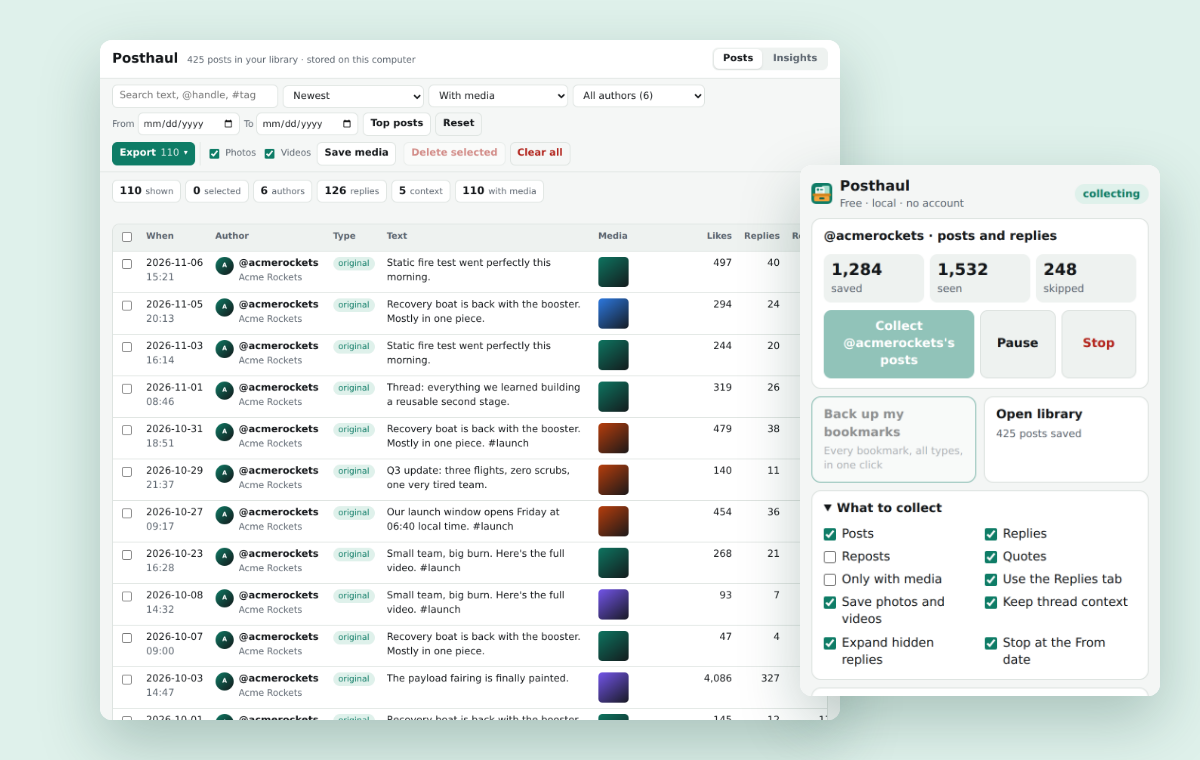
What Posthaul does
It works on the X (Twitter) pages you already use, in your own browser. Press Start and it does the scrolling.
Every post, every number
Full text, date, likes, replies, reposts, quotes, bookmarks and views, plus the quoted post, hashtags, mentions and media links.
Replies with their context
Collect the Replies tab and keep the posts each reply was answering. Open the original conversation for any reply in one click.
Back up your bookmarks
One click saves all your bookmarks. X's own data download leaves them out.
Photos and videos
Photos in original quality and videos as the best MP4, saved to Downloads/Posthaul, one folder per account and post.
CSV, JSON, Markdown, ZIP
Excel-safe CSV, JSON, Markdown, threads as readable documents, or a ZIP with all the media.
Filters and a dashboard
Date range, minimum likes or reposts, keyword, post type, media only and a maximum count. Then search and sort what you collected.
Profiles, searches and lists
Profiles, the Replies tab, threads, search results, lists, bookmarks and likes.
Pauses on rate limits
When X asks to slow down, Posthaul pauses and picks up where it stopped. It also pauses while the tab is hidden.
Private by default
No account, no ads, no tracking. Collected posts are stored in your browser and never sent to us.
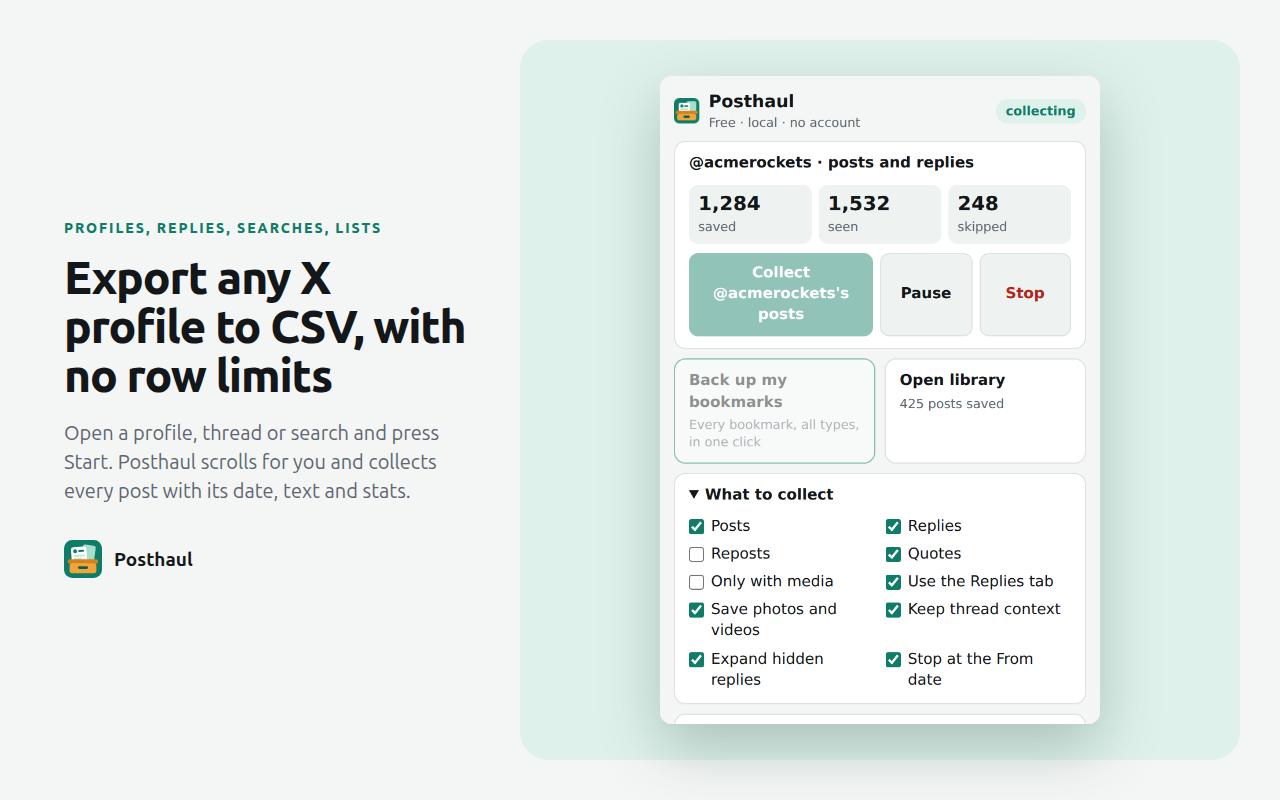
Export any X profile to CSV
Open the profile and press Start. Posthaul scrolls until it reaches the end of what X shows, or until your filters say stop. The CSV opens cleanly in Excel: accents and emoji show correctly, and replies that start with @handle aren't mistaken for formulas.
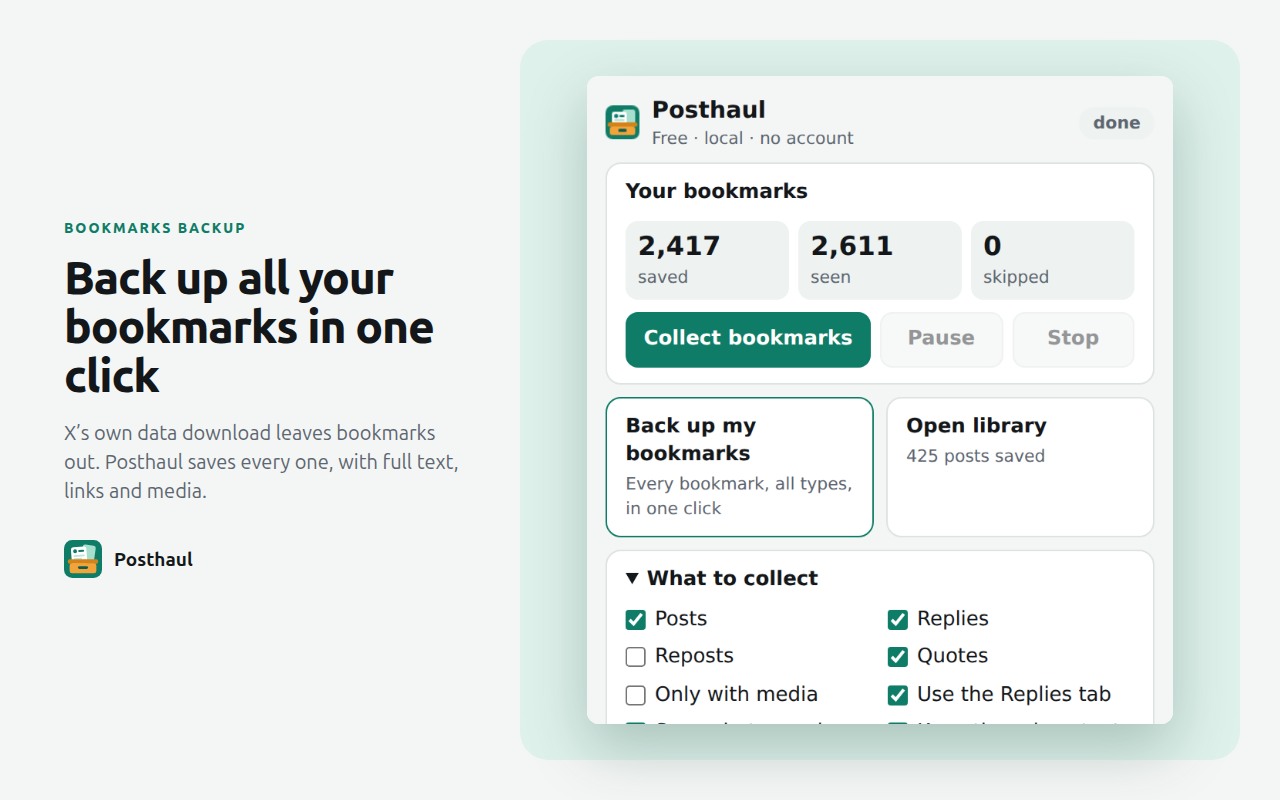
Keep a copy of your bookmarks
Bookmarks are easy to lose and hard to search on X. Back them all up in one click, then search them in the dashboard or export them as Markdown notes.
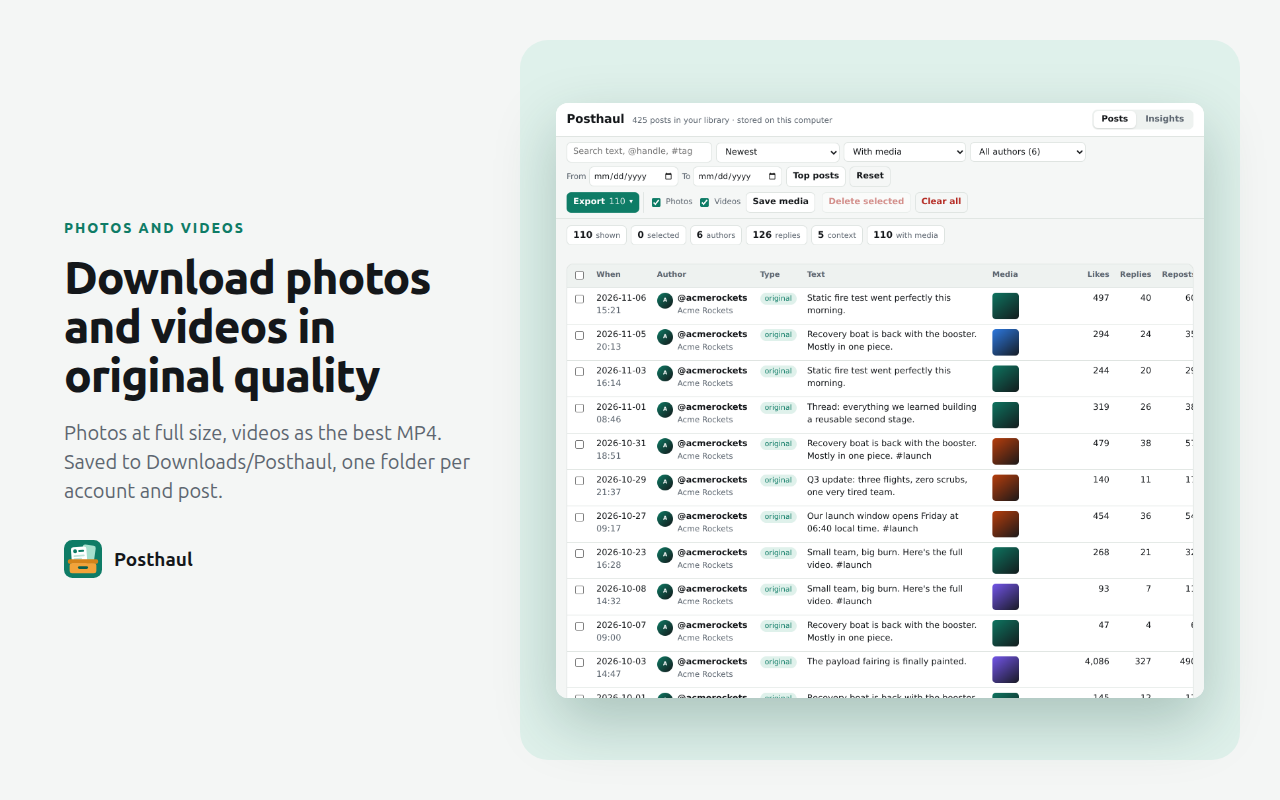
Download photos and videos in original quality
Save the photos, the videos or both from the posts you collected. Files are named and sorted by account and post, so you can find them later.
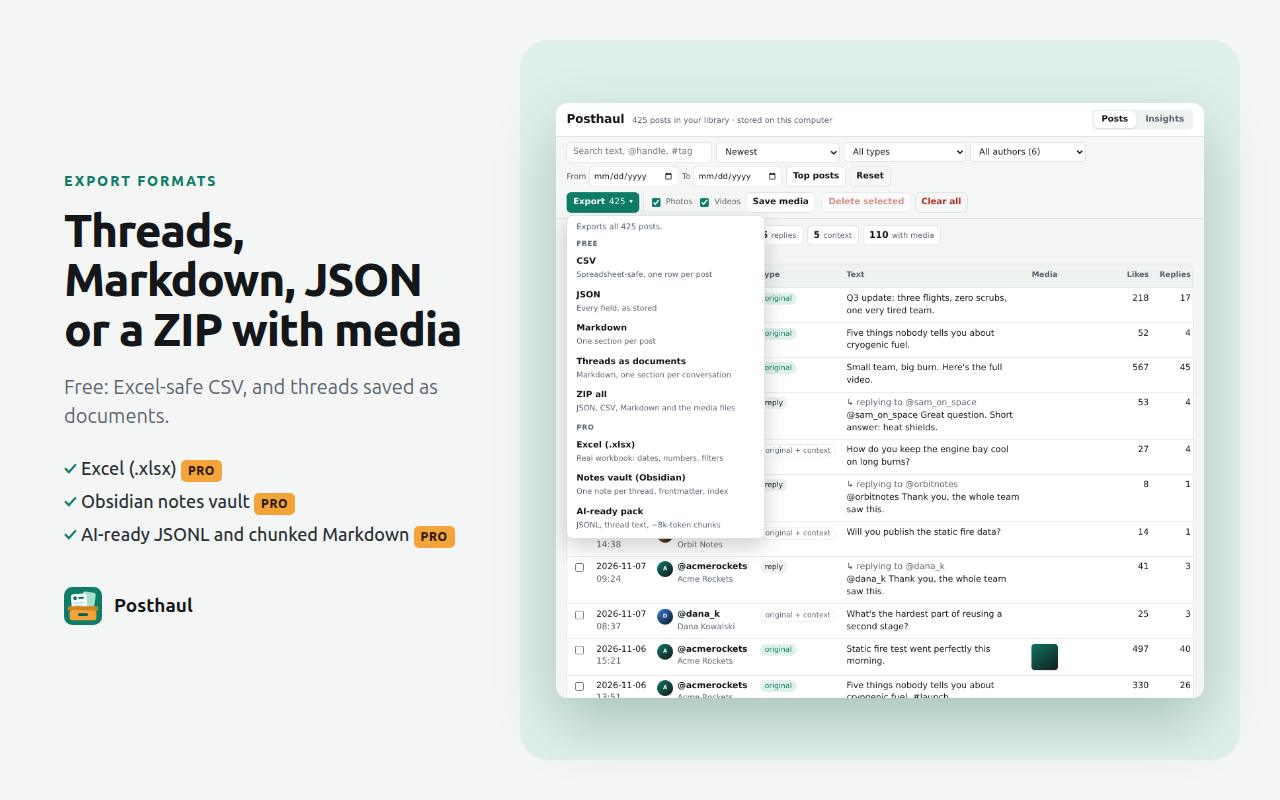
Threads you can read, files you can use
Turn a thread into one clean Markdown document, or export everything as CSV or JSON for a spreadsheet or a script. The ZIP holds the data and the media together.
Who it's for
People who need X posts outside of X, in a file they control.
Marketers and social media managers
See which of your posts or a competitor's did best, sort by views or likes, and bring the numbers into a spreadsheet or a report.
Researchers and journalists
Collect posts on a topic from search results or lists, with dates and engagement, and keep the reply context for each conversation.
Archivists and account owners
Back up your own posts, replies and bookmarks with their photos and videos before you delete them or leave the platform.
AI and notes users
Save threads as Markdown for your notes. With Pro, build an Obsidian vault or AI-ready files to use with ChatGPT or Claude.
Free and Pro
Everything you need to collect and export is free. Pro is for big and repeated jobs: $19 a year with a 7-day free trial, or $39 once.
| Free | Pro | |
|---|---|---|
| Profiles, Replies tab, threads, search, lists, bookmarks, likes | ✓ | ✓ |
| CSV, JSON, Markdown, threads as documents, ZIP with media | ✓ | ✓ |
| Photos and videos in original quality | ✓ | ✓ |
| Filters, dashboard, top posts of an account | ✓ | ✓ |
| Row limits or watermark | None | None |
| Batch queue: many accounts, links or searches in one run | – | ✓ |
| Deep crawl past the 1,000 to 2,000 posts a timeline shows | – | ✓ |
| Only new since last run | – | ✓ |
| Notes vault for Obsidian, AI-ready JSONL and chunked Markdown | – | ✓ |
| Excel (.xlsx) | – | ✓ |
| Insights: best times to post, top posts by month, engagement | – | ✓ |
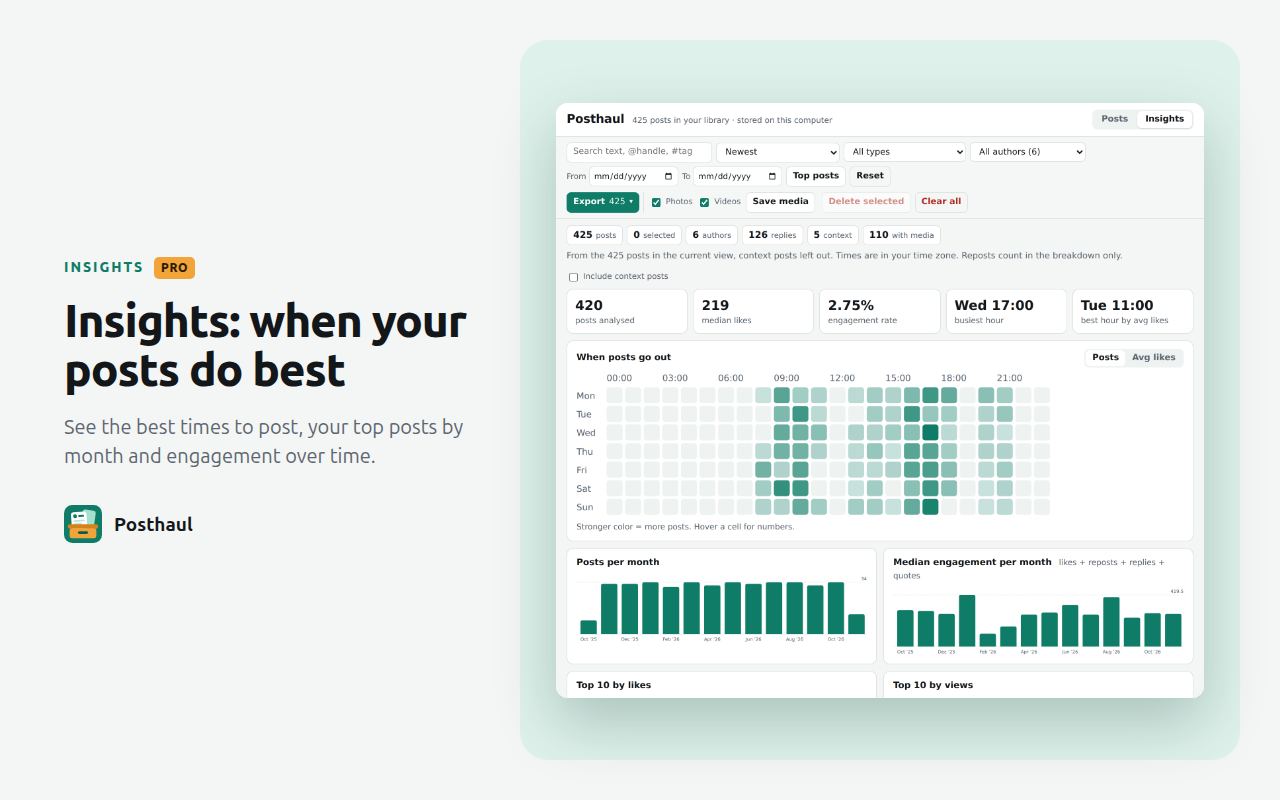
Insights PRO
See when an account's posts do best by day and hour, its top posts month by month, and how engagement changed over time.
Questions
How do I export tweets from an X profile to CSV?
Install Posthaul, open the profile on x.com and click the Posthaul icon, then Start. The page scrolls by itself and the counter goes up. Press Stop when you have what you need, or let it run to the end, then export CSV from the dashboard. The file opens cleanly in Excel, Google Sheets and Numbers.
Can I back up my X bookmarks?
Yes. Click Back up my bookmarks in the popup. Posthaul opens your bookmarks page, collects every one and keeps them in the dashboard, ready to export. X's own data download doesn't include bookmarks, so this is the easiest way to keep a copy.
Is it safe for my account?
Posthaul works inside your own browser with your normal logged-in session. It scrolls the page the way you would and reads the posts X loads. When X reports a rate limit, Posthaul pauses and resumes later, and it also pauses while the tab is hidden. Fast thread mode is off by default: if you turn it on, Posthaul requests threads from X directly in the background, which is faster but adds requests from your account. Heavy use of any kind, by hand or with a tool, can run into X's limits and lead to temporary restrictions. Collect what you need, use the filters and the maximum count, and spread large jobs out. Your use of X is also subject to X's own terms.
How many posts can it collect?
There's no row limit in Posthaul. X itself shows about 1,000 to 2,000 posts when you scroll a profile, and Posthaul collects everything X shows. To reach further back, Pro's deep crawl searches the account month by month.
Where are photos and videos saved?
In your Downloads folder, under Posthaul/<handle>/<post id>/. Photos are saved in original quality and videos as the best quality MP4. You can also export everything as one ZIP.
Does Posthaul send my data anywhere?
No. Collected posts are stored in your browser (IndexedDB) and never leave it. Posthaul only talks to x.com and twimg.com, in your browser, to read posts and download media. The one request to our server is a license check with a random install ID and the version number. Details are in the privacy policy.
Is it free?
Yes. Collecting, the dashboard, filters, media downloads and every free export format have no row limits and no watermark, and you don't need an account. Optional Pro adds batch runs, deep crawl, incremental re-sync, Excel, Obsidian and AI exports, and Insights.
Is Posthaul made by X?
No. Posthaul is an independent tool made by Panaweb LLC. It is not affiliated with or endorsed by X Corp.

Try it on a profile you follow
Add to Chrome, it's freePosthaul is an independent tool. It is not affiliated with or endorsed by X Corp.